26 May 2026

The Death of the JSON Key: Moving to Cloud Workload Identity Federation


You can also read this article for free on Medium here.

Introduction: The “Ticking Time Bomb”

We’ve all used long-lived service account credentials in our Cloud applications and accepted the associated risks.

We have them stored in a local file, excluded by a .gitignore line:

# Don't check this in!
service_account.json

Or we put them in a GitHub secret. They’re painful to maintain and easy to expose. Imagine accidentally committing one to your Git repository! By the way if you do need to remove something sensitive from a repository see my article:
Checked a Secret into git? It’s Critical You Remove it ASAP.

The Problem: Static keys are a liability.

The Answer: Workload Identity Federation (WIF): A modern, secure alternative that replaces permanent trust with temporary, identity-based access.

What is Workload Identity Federation (WIF)?

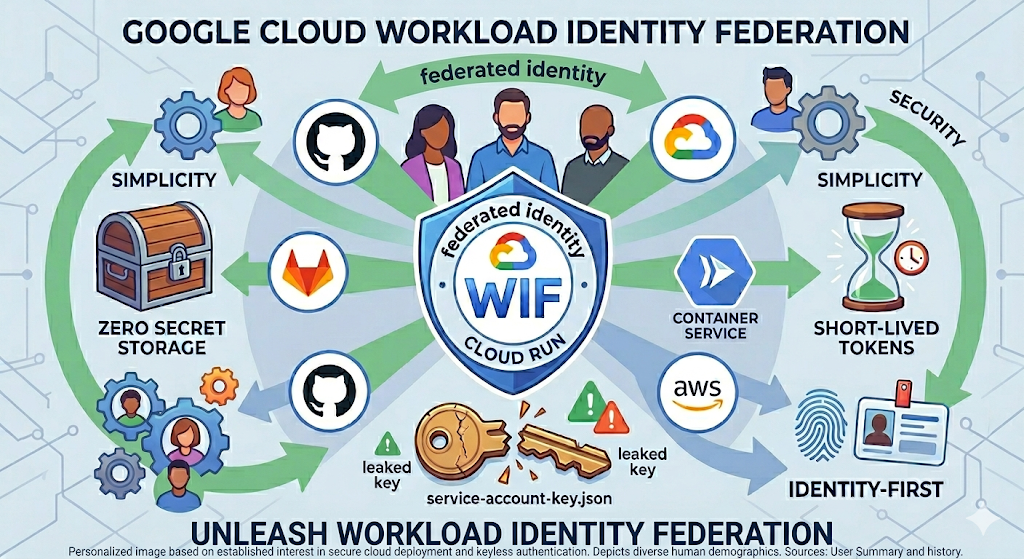
WIF (I love WIF’ing it — lol) allows external workloads (GitHub Actions, GitLab, AWS, or on-prem servers) to prove who they are using their own native identity (OIDC) to get a short-lived token that is never stored. Google has helpful docs on the subject with all of the juicy details.

Security: Eliminating the Attack Surface

  • No Long-Lived Credentials: Keys might last for years while a WIF token expires in minutes.
  • Zero Secret Storage: You can’t leak what you don’t store. There is no JSON file to “lose.”
  • Identity-First Perimeter: Security shifts from “Do you have the key?” to “Are you the specific GitHub runner I trust and what do you need?”

Simplicity: Reducing Operational Overhead

No Rotation Required: Traditional keys require manual or scripted rotation every few months. WIF handles this lifecycle automatically.

Simpler CI/CD Pipelines: Modern CI/CD (like GitHub Actions) has built-in WIF support. No more pasting massive JSON strings into environment variables.

Numerous providers support WIF:

  • AWS (e.g: access an S3 bucket)
  • Google Cloud (GCP)
  • Microsoft Entra ID (Azure)
  • GitHub
  • GitLab
  • Kubernetes clusters
  • Okta
  • On-premises Active Directory Federation Services (AD FS)
  • Terraform

Logging and “Set and Forget” Auditing: Cloud Audit Logs show exactly which external identity (e.g., a specific GitHub repo/workflow) assumed the role. No need to reinvent the wheel.

Examples: WIF in the Containerless Context

  • Use Case 1: Secure Deployments (CI/CD). Use WIF to allow a GitHub Action to deploy a new revision to Google Cloud Run without a service account key.
  • Use Case 2: Cross-Cloud Provider Communication. A service running in AWS or Azure can securely call a private Cloud Run endpoint by federating its identity.
  • Containerless Native Integration: Azure’s Container Apps or Cloud Run’s services make perfect candidates for keyless architecture, as it avoids the “credential management” burden on ephemeral containers.

High-Level Architecture How-To

  • Step 1: Create The Workload Identity Pool. A logical container for your external identities. Create your pool first.
  • Step 2: The Provider. Configure the connection to GitHub (OIDC), AWS, etc. These Instructions for many providers will help.
  • Step 3: Attribute Mapping.
  • Attributes map one cloud provider to another and should include repository and actor at the minimum.
Press enter or click to view image in full size
GitHub and GCP WIF
  • Final Step: IAM Grants. Binding the federated identity to specific roles. This is often an iterative, whack-a-mole process and is best accomplished with the CLI (Command Line Interface).

Conclusion

I hope I’ve convinced you to start WIF’ing it. WIF is not just a “security feature” — it’s a better way to build.

I challenge readers to delete their next service account key and set up a WIF pool instead.

“The most secure key is the one that doesn’t exist.”

Until next time.

01 November 2025

Top Clickbait Technical Articles That Are Easy to Fall For


Introduction

What is Clickbait? Clickbait is online content, often a headline or title, that uses sensational or misleading information to entice users to click. Its primary purpose is to drive traffic to a website to increase page views and potentially boost ad revenue.

Clickbait often creates a “curiosity gap,” where the content itself doesn’t deliver on the promise or value implied by the title.

Clickbait can damage a site’s credibility and worsen the user experience. But don’t get me wrong, an alluring title doesn’t have to be Clickbait.

I thought it would be interesting to dive into some of the more common examples we see today, specifically in the realm of software engineering.

30 October 2025

Why WSL (Windows Subsystem for Linux) is Better Than Linux (For Most Developers)


Embracing the Best of Both Worlds: How Windows Can Supercharge Your Linux Development

Introduction: The Unlikely Champion of Linux Development

Conventional wisdom says a “true developer” will install a complete Linux distro because “real” development happens on Linux and besides, we’ll be deploying to a Linux platform anyway. No need for the flamboyant excesses of Windows, all we need is the Linux terminal and perhaps the occasional X-Windows application. Besides, Microsoft historically tried very hard to eliminate Linux, seeing it as an existential threat, right? Wrong.

26 October 2025

Why I Enjoy Pac-Man So Much and the Disturbing Cut-Scenes You Haven’t Seen


Pac-Man logo with Pac-Man being chased by 4 ghosts.
The classic arcade game with a secret


Picture this. The interior of a 7-Eleven: it’s the early 1980’s, late afternoon — a weekday after school. Half-a-dozen Junior High age kids with Mt. Dew Big Gulp’s in their hands and quarters in their pockets are queued up to play Pac-Man on a standup arcade machine tucked away in the corner of the store.

No mobile phones, no PlayStations, no Nintendo Switches in sight. No ChatGPT. Just imaginations and lots of quarters. Lots and lots of quarters.

To Celebrate Pac-Man’s 45th anniversary on May 21, I’d like to fondly look back at a video game that will never be forgotten. Masterful in its simplicity, addictive in its gameplay, and impressive technologically for its time, Pac-Man remains a cultural icon.

Why You Need Kubernetes Flux to Manage Your Cluster Deployments


1. Introduction

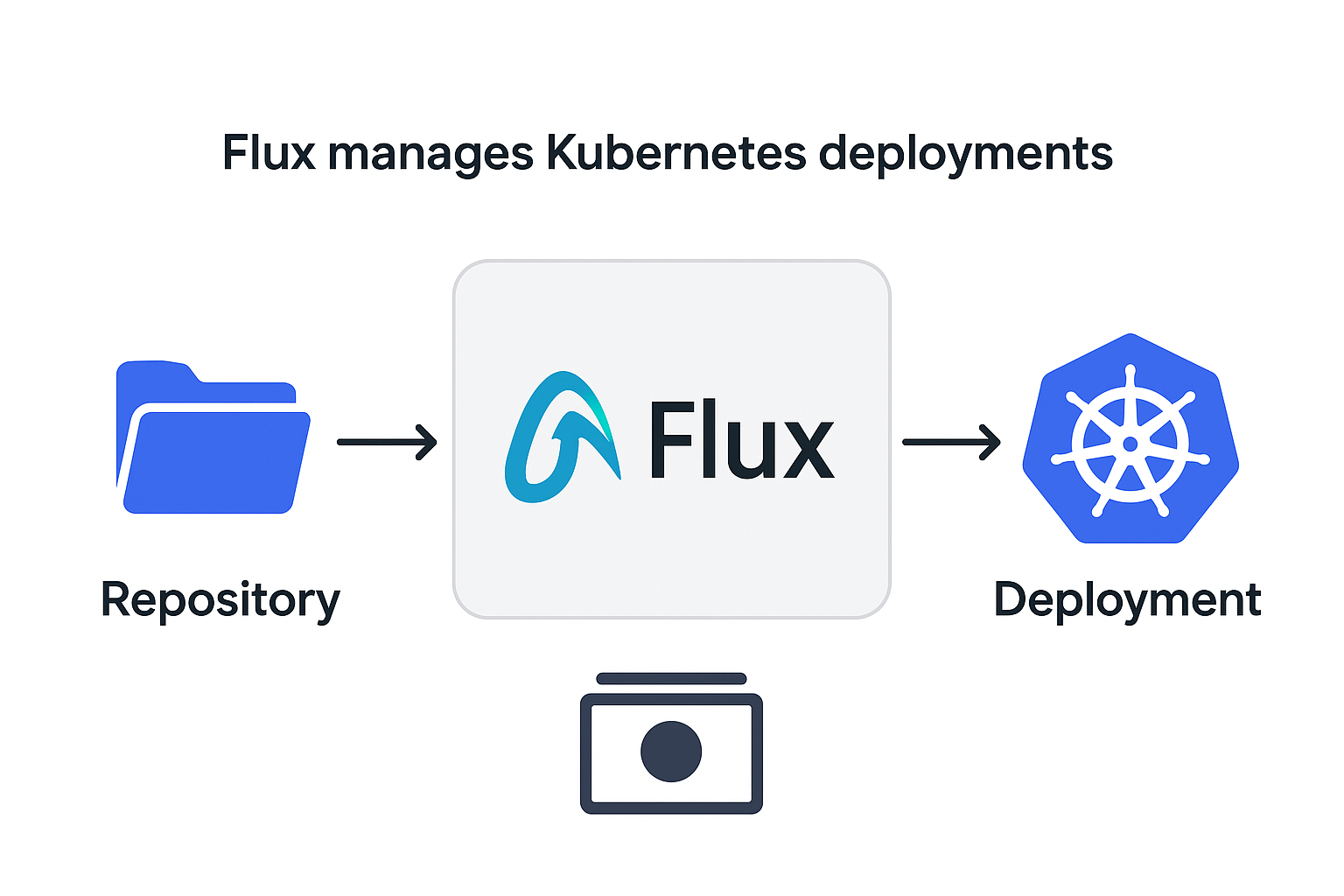
Once you move beyond simple Kubernetes installations you quickly discover the pain and limitations of managing deployments with manual kubectl commands and scattered yaml files.

As a senior developer and GitOps architect, I am quite familiar with how easy it is to outgrow these early approaches to building and managing your clusters.

Flux, coupled with Git version control and DevOps pipelines, provides the missing pieces that make cluster deployments predictable, repeatable, and secure.

The Top 5 Things to Watch Out for When Vibe Coding — And Why AI Won’t Replace Developers


Introduction

If you’re unaware, “vibe coding” is the process whereby non-developer and developers use AI assistants like Github CoPilot to rapidly prototype and create code, driven by requirement prompts and human guidance. Sometimes referred to as being in a “flow state,” a senior dev coupled with an AI agent can iteratively add new classes, create functions and files, and even execute commands to build an application from scratch. There’s some disagreement on whether devs can vibe it too, but we’ll leave that debate alone for now.

Make no mistake the hype is real: AI makes developers faster and opens a new world of possibilities, but it doesn’t eliminate the need for human expertise and intervention.

My thesis is this: Senior developers “vibe coding” can unlock massive productivity gains — but only if they’re mindful of key pitfalls.

Are We Witnessing the End of Search and the Death of the Internet?


A slightly provocative title

OpenAI Atlas and Perplexity AI-powered browsers are here. Chatbots have been around since 2022 now. The shift to Generative AI (GenAI) is upon us. Content is increasingly AI generated. But does this mean the end of Internet Search and dare we say even the Internet itself?

Docker is Not Dead: The Enduring Relevance of Containerization in Modern Software Development


Rumors of its demise are greatly exaggerated

Introduction: Debunking the “Docker is Dead” Myth

Lately we’ve seen some click-bait articles suggesting Docker and even containerization itself is on its deathbed. Let’s address the recent conversations and misunderstandings surrounding Docker’s role and how important it is in our current environment.

First, keep in mind we’re not addressing the health or future of Docker the company. That’s a business world question we’ll save for another day. Instead let’s focus on Docker the containerization technology.

I posit this: Docker is not only alive and well but is a more critical tool than ever for both developers and operations teams in the age of generative AI and Kubernetes.

21 October 2025

Checked a Secret into git? It’s Critical You Remove it ASAP


It’s easy to do. Picture this: You’ve got a local environment file with a database connection string used for testing. Or a private key file for a TLS certificate. Or perhaps you’ve got a hard-coded username and password in your Go code that you meant to delete. Seems pretty innocuous, but before you know it, you’ve inadvertently checked the sensitive information into git version control. Even worse, maybe you’ve pushed things to a public repository like GitHub for all to see.

17 October 2025

Nominal Loudspeaker Impedance Easily Misunderstood

Plot courtesy of SpinningSpark

In the world of audio speakers, it's easy to think of impedance as a fixed quantity. But as you can see from the above plot of a speaker's impedance versus frequency, this loudspeaker varies in impedance greatly from a low of nearly 4 ohms at extreme lower frequencies to multiple peaks nearing 40 ohms at 50Hz and 20KHz. So what does the "nominal impedance" specification published by all loudspeaker manufacturers tell us?

IEC's Nominal Impedance


The International Electrotechnical Commission (IEC) has kindly defined nominal impedance as the product of 1.25 and the minimum impedance within the speaker's passband (frequencies the speaker can reproduce). This means the minimum impedance of the speaker cannot be less than 80% of this value. Dividing by .8 or multiplying by 1.25 are equivalent mathematically:

z/.8 = z(10/8) = z(5/4) = z(1.25)

So, as an example, if we have a speaker rated at 6 ohms nominal, its frequency minimum cannot be less than 4.8 ohms. A 4 ohm rated speaker may "go as low" as 3.2 ohms.

Minimum Impedance


As the impedance drops, according to ohm's law, the current requirement of the amplifier or receiver driving the speakers goes up. This likely will not present a problem, as most contemporary amplifier designs support a range of impedance values down to 4 ohms. In addition, amplifier protection circuitry will step in under extreme conditions and prevent damage to equipment.

CNET has a wonderful article with ELAC's speaker designer Andrew Jones, describing the challenges from a designer's perspective, in balancing impedance and speaker sensitivity values.

Bottom Line


Nominal impedance is simply an indicator of how low a speaker's resistance will go across its frequency range. Unless the nominal value is very low, say < 6 ohms, most of today's amplifiers will not have a problem driving them, based on impedance alone. However, a loudspeaker's sensitivity is also a factor, and something best addressed in a future article.


Troubleshooting cron problems in cron.d files


Determining why a Linux cron job won't run can be maddeningly frustrating. Diagnostic information is spread across multiple logs including (depending on distribution):
/var/log/messages #look for cron specific messages
/var/log/secure #look for user authentication errors
/var/log/cron
Even after searching through the log files, problems can sometimes remain hidden.

Please note: a newer version of this article is available on Medium for free.

Keeping Docker image sizes manageable


Keeping Docker images small in a micro-services architecture is an important goal. Smaller images provide many key benefits:
  • Pushes and pulls from image registries are quicker
  • Builds are faster
  • Dockerfiles are shorter
  • Dependencies are reduced
  • Services start and stop faster
  • Enforces the notion of keeping services as ephemeral as possible, that is: stateless with minimal set up and configuration. See the Twelve-Factor App for details.
Please note: a newer version of this story is available on the Seasoned Developer Medium Site.

Installing Kubernetes K3s on CentOS/RHEL Hosts


Here's the scenario: you need an on-premises container orchestrator. This could be for a variety of reasons: maybe going to the cloud is cost prohibitive or you simply want to install and maintain your infrastructure first hand. K3s to the rescue. Rancher's K3s is a lightweight Kubernetes that seeks to make installation and management easier. Kubernetes is notorious for being difficult to set up and administer, but has really become the standard in container orchestration.

Unfortunately, the RHEL (Redhat Enterprise Linux) version 7 OS and its close downstream deprecated cousin CentOS, aren't receiving the love from the Rancher folks as much as Ubuntu is. Documentation is a bit sparse, and there are gotcha's along the way. This "living" document will hopefully serve as a means of guiding and  reporting on experience with K3s on RHEL systems. It will be updated as time goes on (it already has seen updates several times).

Pre-Requisites

Obviously some knowledge of Docker or other container-based technology is critical. In addition, a high level of Linux system administration and networking competence with Redhat-based systems is assumed.

Pre-Installation Steps

Several sources recommend turning off firewalld and selinux and going with iptables only, but we'll try keeping them on for now, your mileage may vary.

K3s will complain (See "k3s check-config" below) about user namespaces and swap. To remedy these errors:

Enable namespaces at boot

Edit /etc/default/grub:
user_namespace.enable=1

Then run grub-mkconfig to save the changes:
grub2-mkconfig -o /boot/grub2/grub.cfg

Disable swap

swapoff -a
sed -e '/swap/s/^/#/g' -i /etc/fstab

Firewall

We need to allow traffic between interfaces. This requires bridged IP traffic and several modules (overlay, nf_conntrack, br_netfilter). Note: no longer needed - K3s appears to be handling this for us now.
cat <  /etc/sysctl.d/k8s.conf
net.bridge.bridge-nf-call-ip6tables = 1
net.bridge.bridge-nf-call-iptables = 1
EOF

Lots of  potential ports need opening, depending on whether the node (host) is a "master" or "worker" node:
Master node(s):
TCP     6443*       Kubernetes API Server
TCP     10250       Kubelet API
TCP     10251       kube-scheduler
TCP     10252       kube-controller-manager
UDP     8285        flannel overlay network - udp backend

Worker nodes (minions):
TCP     10250       Kubelet API
TCP     30000-32767 NodePort Services
UDP     8285        flannel overlay network - udp backend
We can accomplish this with these commands on the master:
firewall-cmd --permanent --add-port=6443/tcp
firewall-cmd --permanent --add-port=10250-10252/tcp
firewall-cmd --permanent --add-port=8285/udp


And these on the worker:
firewall-cmd --permanent --add-port=10250/tcp
firewall-cmd --permanent --add-port=30000-32767/tcp
firewall-cmd --permanent --add-port=8285/udp

firewall-cmd --reload

Installation

On the master:
curl -sfL https://get.k3s.io | sh -


On the worker:
curl -sfL https://get.k3s.io | K3S_URL=https://[master host]:6443 K3S_TOKEN=
[Server token here: /var/lib/rancher/k3s/server/token]

Verify Operation

master node:
k3s check-config
systemctl status -l k3s
kubectl get nodes

worker:
systemctl status -l k3s-agent