You can also read this article for free on Medium here.
Introduction: The “Ticking Time Bomb”
We’ve all used long-lived service account credentials in our Cloud applications and accepted the associated risks.
We have them stored in a local file, excluded by a .gitignore line:
# Don't check this in!
service_account.json
Or we put them in a GitHub secret. They’re painful to maintain and easy to expose. Imagine accidentally committing one to your Git repository! By the way if you do need to remove something sensitive from a repository see my article:
Checked a Secret into git? It’s Critical You Remove it ASAP.
The Problem: Static keys are a liability.
The Answer: Workload Identity Federation (WIF): A modern, secure alternative that replaces permanent trust with temporary, identity-based access.
What is Workload Identity Federation (WIF)?
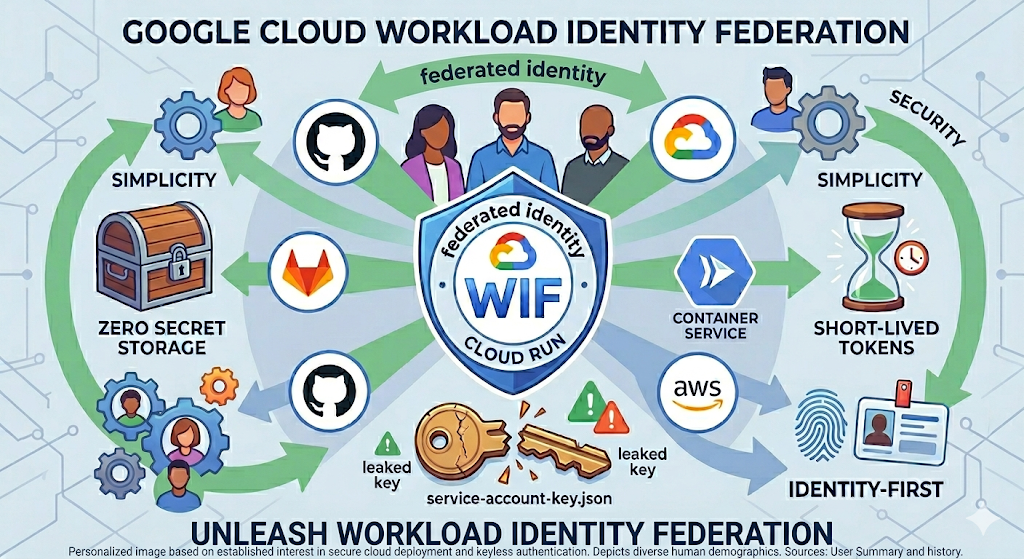
WIF (I love WIF’ing it — lol) allows external workloads (GitHub Actions, GitLab, AWS, or on-prem servers) to prove who they are using their own native identity (OIDC) to get a short-lived token that is never stored. Google has helpful docs on the subject with all of the juicy details.
Security: Eliminating the Attack Surface
- No Long-Lived Credentials: Keys might last for years while a WIF token expires in minutes.
- Zero Secret Storage: You can’t leak what you don’t store. There is no JSON file to “lose.”
- Identity-First Perimeter: Security shifts from “Do you have the key?” to “Are you the specific GitHub runner I trust and what do you need?”
Simplicity: Reducing Operational Overhead
No Rotation Required: Traditional keys require manual or scripted rotation every few months. WIF handles this lifecycle automatically.
Simpler CI/CD Pipelines: Modern CI/CD (like GitHub Actions) has built-in WIF support. No more pasting massive JSON strings into environment variables.
Numerous providers support WIF:
- AWS (e.g: access an S3 bucket)
- Google Cloud (GCP)
- Microsoft Entra ID (Azure)
- GitHub
- GitLab
- Kubernetes clusters
- Okta
- On-premises Active Directory Federation Services (AD FS)
- Terraform
Logging and “Set and Forget” Auditing: Cloud Audit Logs show exactly which external identity (e.g., a specific GitHub repo/workflow) assumed the role. No need to reinvent the wheel.
Examples: WIF in the Containerless Context
- Use Case 1: Secure Deployments (CI/CD). Use WIF to allow a GitHub Action to deploy a new revision to Google Cloud Run without a service account key.
- Use Case 2: Cross-Cloud Provider Communication. A service running in AWS or Azure can securely call a private Cloud Run endpoint by federating its identity.
- Containerless Native Integration: Azure’s Container Apps or Cloud Run’s services make perfect candidates for keyless architecture, as it avoids the “credential management” burden on ephemeral containers.
High-Level Architecture How-To
- Step 1: Create The Workload Identity Pool. A logical container for your external identities. Create your pool first.
- Step 2: The Provider. Configure the connection to GitHub (OIDC), AWS, etc. These Instructions for many providers will help.
- Step 3: Attribute Mapping.
- Attributes map one cloud provider to another and should include repository and actor at the minimum.

- Final Step: IAM Grants. Binding the federated identity to specific roles. This is often an iterative, whack-a-mole process and is best accomplished with the CLI (Command Line Interface).
Conclusion
I hope I’ve convinced you to start WIF’ing it. WIF is not just a “security feature” — it’s a better way to build.
I challenge readers to delete their next service account key and set up a WIF pool instead.
“The most secure key is the one that doesn’t exist.”
Until next time.

No comments:
Post a Comment